
Atari-Inspired Tank Game
Overview
Created with Unreal Engine 5.5.1 (Blueprints + C++)
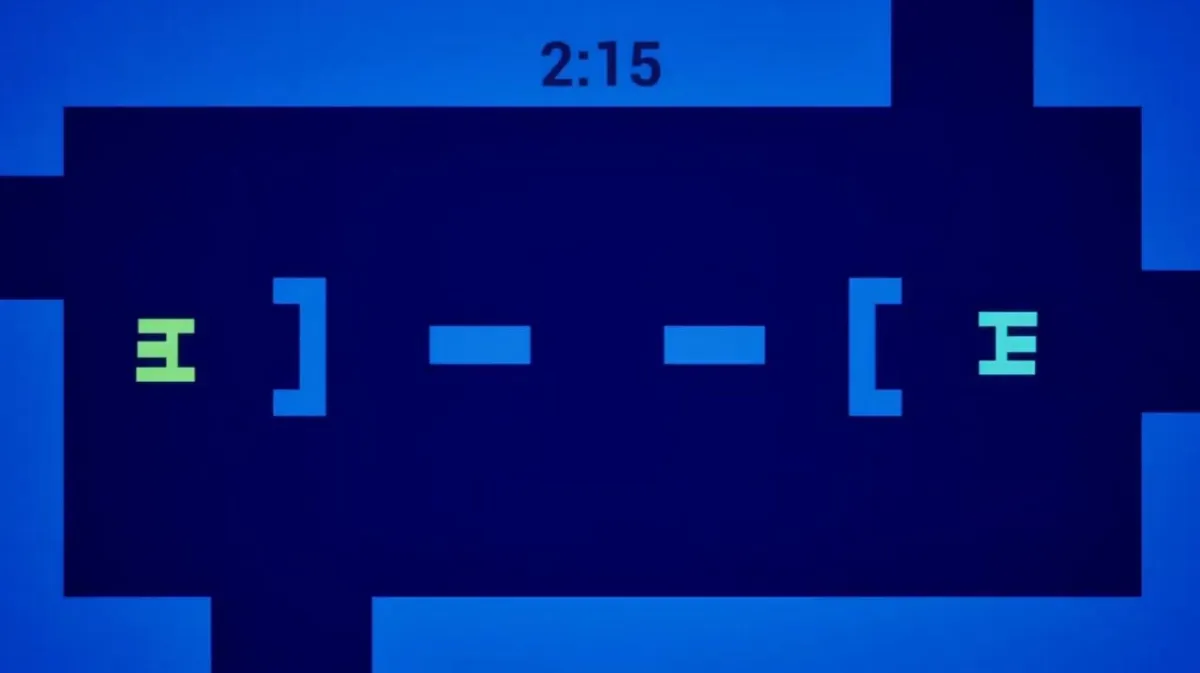
I rebuilt a modern take on Atari’s classic tank duel in Unreal Engine 5.5.1 using Blueprints on top of a light C++ framework. The project features tight top-down controls, three bullet behaviors, two arena layouts, a six-option main menu, dynamic color themes, scoring with cooldowns, and local multiplayer. I packaged the game as a standalone build for grading.
Tools and Workflow
Engine and IDE. Unreal Engine 5.5.1 with Visual Studio 2022 Pro LTSC 17.10.1.
Source control. Perforce (P4V) with a dedicated depot, workspace mapping, and p4.ini
at the workspace root. I demonstrated adds, deletes, edits, renames, and moves, plus transaction logs and in-editor checkouts.
Project layout. Clean separation between Unreal project and a Perforce documentation folder that mirrors our class structure.
Debugging.
Blueprint debugging with breakpoints on node execution.
C++ debugging by launching the editor from VS and breaking on constructors and gameplay flow.
Project Foundations and Architecture
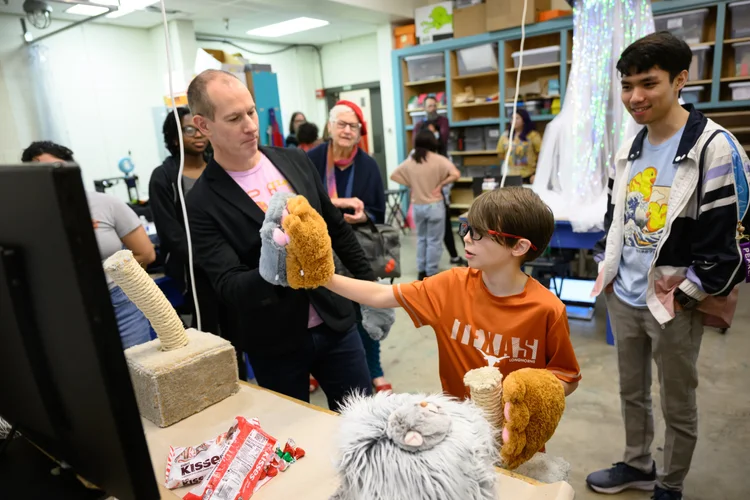
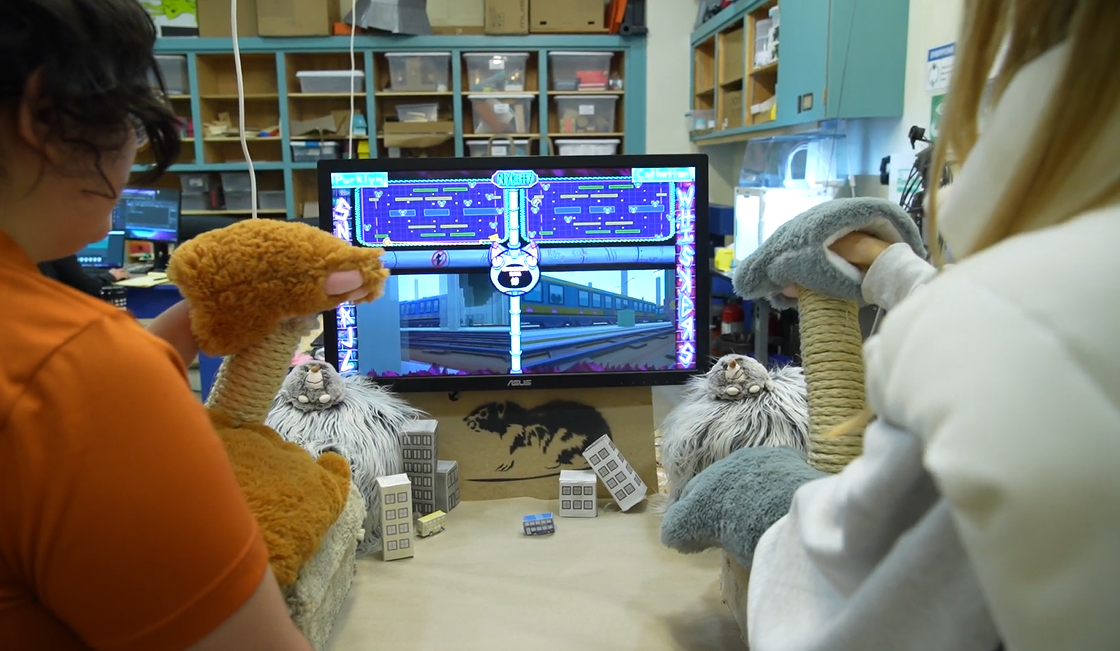
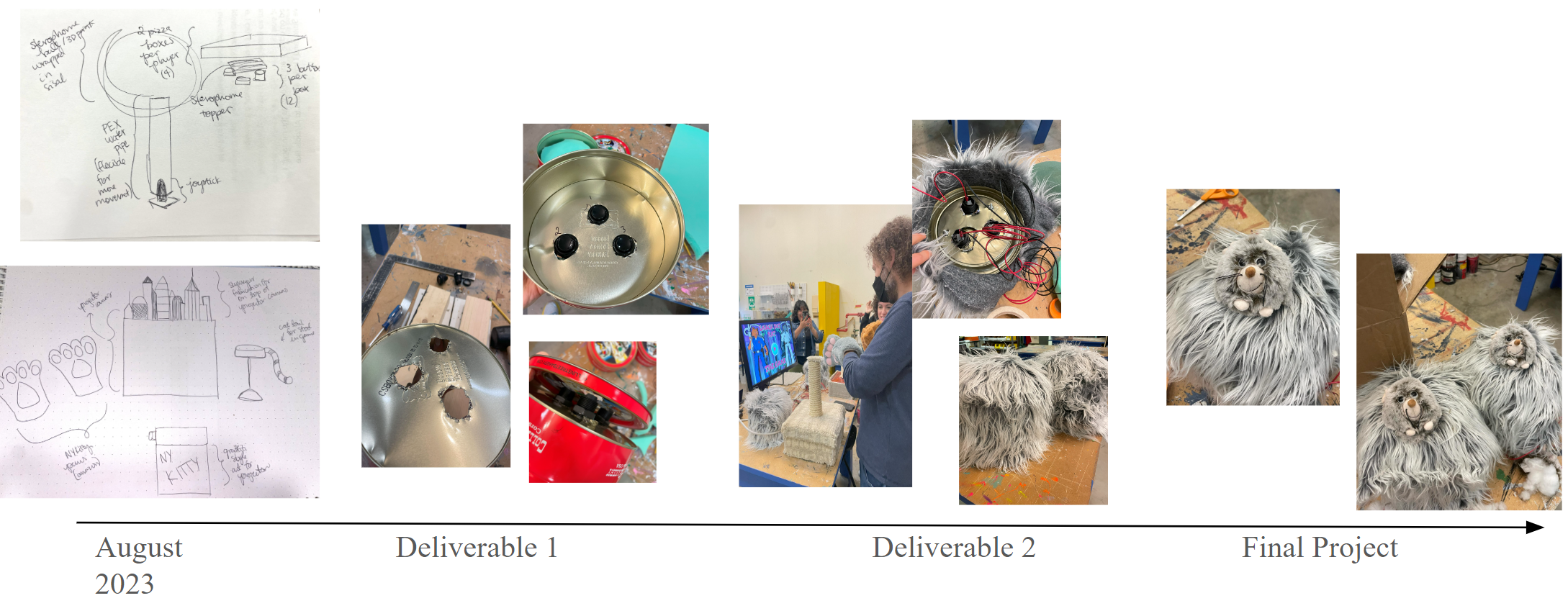
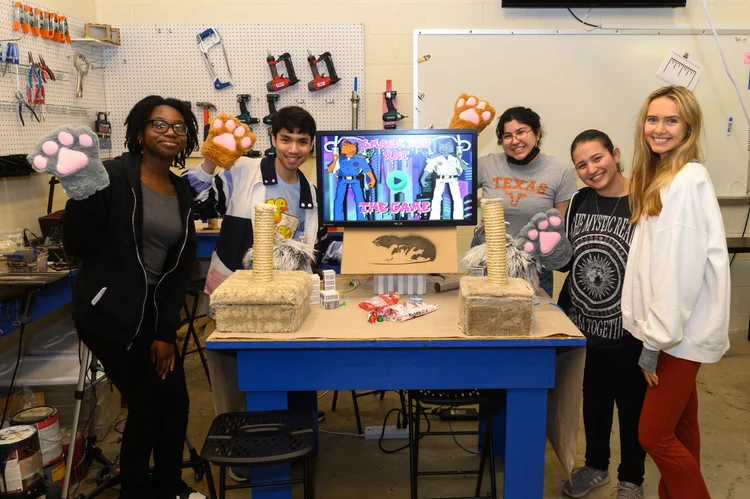
As illustrated below, the beginning iterations of our project involved sketching and designing our controllers. We did not have the rat buttons in mind yet, but we knew fabrication would involve a cat scratcher joystick. Making many different sketches of alt ctrls and working with the team was very important to finally deciding upon the cat-scratcher joystick and rat damage buttons.
Deliverables
Tank Pawn. Blueprint derived from my C++ APawn.
- Components: a single collider as the Scene Root, plus static meshes arranged into a simple square tank with a clearly marked front.
- Collision: the root collider governs overlaps and hits. The tank cannot pass through goals, barriers, or the arena walls.
Top-down orthographic camera. A CameraActor Blueprint set to orthographic projection and auto-activate for Player 0. I tuned Ortho Width and aspect ratio so the 40,000 x 28,000 unit arena frames correctly. Note that orthographic cameras do not cast shadows, which is expected here.
Enhanced Input.
- Assets: Input Mapping Context + Input Actions for Move, Turn, and Fire.
- Behavior: analog sticks are treated as digital. I used dead zones and modifiers so half-tilts do not change speed. The tank cannot reverse. Fire triggers on press only.
- Ownership: I apply the Mapping Context in the PlayerController so mappings survive pawn death.
Movement tuning
- Turn rate: 90 deg/sec.
- Forward speed: 2,000 uu/sec.
- Runtime tuning: float CVar dukeCombat. TankSpeed accessible in the in-game console for quick iteration.
Don’t Drive Through Things
Collision channels are configured so the tank blocks world geometry and goals.
Perimeter walls ring the playfield, and each arena includes interior barriers that block line of sight and movement.
Local Multiplayer
Two players. Spawns two PlayerControllers and two Pawns. If two gamepads are connected, both players use controllers. With one controller, Player 2 uses keyboard.
Forwarding mechanism. I implemented a testing forwarder so I can simulate either player while having only one controller attached.
Bullet System and Object Pooling
Bullet actor classes. One parent Bullet Blueprint with specialized children for Standard, Guided, and Bouncing behavior. All bullets spawn at the tank muzzle facing the tank’s current forward.
One bullet per tank rule. A tank cannot fire again until its active bullet despawns.
Object pool. Each tank maintains a small bullet pool. Activation sets transform, color, lifetime, and behavior, then toggles visibility and collision. Despawn returns the instance to the pool which avoids garbage collection spikes and ensures constant performance.
Behaviors
1. Standard. Straight line at 25,000 uu/sec. Despawns on hit or after 1 second.
2. Guided. Every tick, the bullet’s orientation matches the firing tank’s current orientation, which gently steers its direction. Same lifetime rule as Standard.
3. Bouncing. Reflects velocity about the hit normal on wall impacts. Ignores collisions with the owning tank. Lifetime 3 seconds unless it hits the opponent. Near-perpendicular wall hits are adjusted to bounce off at roughly 20 degrees rather than snapping straight back.
Game Modes and Switching
Three GameModes. Standard, Guided, and Bouncing. Both players use the active mode’s bullet class.
Selection. Prior to UI work, I used World Settings and Project Settings overrides. Later, the main menu launches the chosen map and bullet mode directly.
Dynamic Color Themes with Data Tables and
Material Parameter Collections
Blueprint Struct. I defined a row type with four LinearColor fields: Player1, Player2, Floor, Walls.
Data Table. At least five rows of harmonized color schemes with strong player legibility.
Randomization. On GameMode::BeginPlay, I pick a random row for each new match launched from the menu.
Spawn-time color injection.
- The tank pawn exposes a LinearColor property as Expose on Spawn so the GameMode assigns color during spawning.
- Bullets inherit the color of the tank that fired them at activation.
Environment colors. A Material Parameter Collection drives floor and wall materials. The GameMode writes the chosen scheme into the MPC so the whole arena updates in one place.
Scoring, Cooldowns, and Hit Response
Scoring state. APlayerState has a CombatScore variable and a ScorePoint function that increments and broadcasts a PlayerScoreChanged Event Dispatcher.
Awarding points. On bullet impact with the opponent, I call ScorePoint on the shooter’s PlayerState, then despawn the bullet.
HUD observation. The HUD Blueprint binds to each PlayerState’s PlayerScoreChanged via GameState.PlayerArray and refreshes the on-screen scores.
Hit response and fairness.
- On hit, the victim tank teleports to a random respawn from 8–12 marked locations, never overlapping the other tank.
- Both tanks become immobile for 2 seconds. The victim spins at 1,000 deg/sec as a visible invulnerability tell.
- Earlier in development I used a tunable cooldown window. The final shipped behavior is 2 seconds to match the spec.
HUD and Menus with UMG
HUD overlay. Score for each player at the top in their tank color. A central timer in minutes and seconds, updating once per second. The timer stops at 0:00 and never goes negative.
Timer and match flow. Matches last 2 minutes 16 seconds. At 0:00 the round ends and in-flight bullets no longer score. A 3 second cooldown follows where only the Return to Menu input is active.
Main menu. A single screen with six buttons: two maps by three bullet types. Fully navigable by keyboard, mouse, and gamepad with clean focus handling and seamless device switching.
Reusable confirmation widget. One UMG widget handles both “Exit to Main Menu” and “Quit Game” confirmations for the side quest requirement.
Networking Exercises and PIE Setup
Listen server PIE. I tested server plus client windows and used Shift+F1 to manage focus.
Client authority fix. In the NetMulti starter, I added a minimal set of Blueprint nodes in the Pawn Event Graph to route client input to the server using RPCs and SwitchHasAuthority , so client movement replicates to the server.
3–4 player support. I extended the GameMode with additional PlayerStarts and selection logic so three and four player PIE sessions spawn correctly without overlap.
Packaging and Stability
Standalone build. I shipped a zipped packaged build for the midterm so graders did not need to open the editor.
Maps. Two arena variants with different barrier patterns.
Inputs. Escape or Start returns to main menu at any time. Holding Fire does not auto-repeat. Dead zones eliminate stick noise.
Final Add-ons and Polish
Teleport power-up. Instant relocation to a valid respawn node with a brief input lock.
Tank invisibility. Temporarily hides the tank with a material swap and HUD indicator. Extended to all bullet classes where relevant.
Audio. One-shots for fire, bounce, and hit, hooked into the bullet lifecycle and collision events.
Pac-Man edge portals. Trigger volumes on opposite edges wrap the tank across the map while preserving forward momentum and orientation.
Steerable turret. Turret component with yaw input on shoulder buttons or Q/E, independent of hull rotation, integrated with bullet spawn to use turret forward.
What I Focused On
Building on a clean C++ framework while doing gameplay in Blueprints for speed.
Deterministic input feel. Analog treated as digital, consistent motion, and strict one-bullet gating.
Data-driven visuals via Data Tables and MPCs.
Event-driven UI using PlayerState dispatchers so multiplayer scale is future friendly.
Performance hygiene with object pooling and CVars for rapid iteration.
Robust local multiplayer and a clear, controller-friendly menu flow.